You haven't signed in yet, you can have a better experience after signing in
*Please complete the payment within {{receiveCouponInfo.expire_at}}Previous use*
You haven't signed in yet, you can have a better experience after signing in


Activity Rules
1、Activity time:{{ info.groupon.start_at }} ~ {{ info.groupon.end_at }}。
1、Activity time:cease when sold out。
2、Validity period of the Group Buying:{{ info.groupon.expire_days * 24 }} hours。
3、Number of Group Buying:{{ info.groupon.need_count }}x。
Please Pay Attention
1、Teamwork process: Join/initiate a Group Buying and make a successful payment - Within the validity period, the number of team members meets the activity requirements - Group Buying succeeded!
2、If the number of participants cannot be met within the valid period, the group will fail, and the paid amount will be refunded in the original way.
3、The number of people required and the time of the event may vary among different products. Please pay attention to the rules of the event.
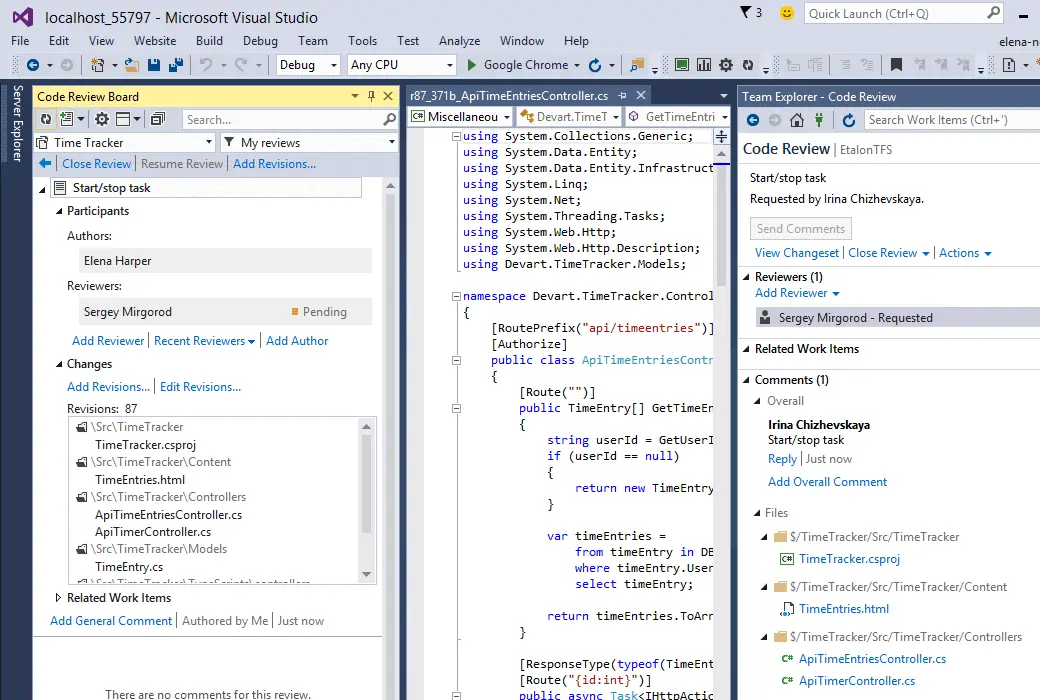
Review Assistant is a code review plugin for Visual Studio.
Our code review tool allows you to create review requests and respond to them without leaving Visual Studio. Devart Review Assistant supports TFS, Subversion, Git, Mercurial, and Perforce. The setup includes a 30 day unlimited trial period and a free plan.
It can start and run within 5 minutes. Our product can become a professional review assistant for capturing flawless code!
Code Review in Visual Studio
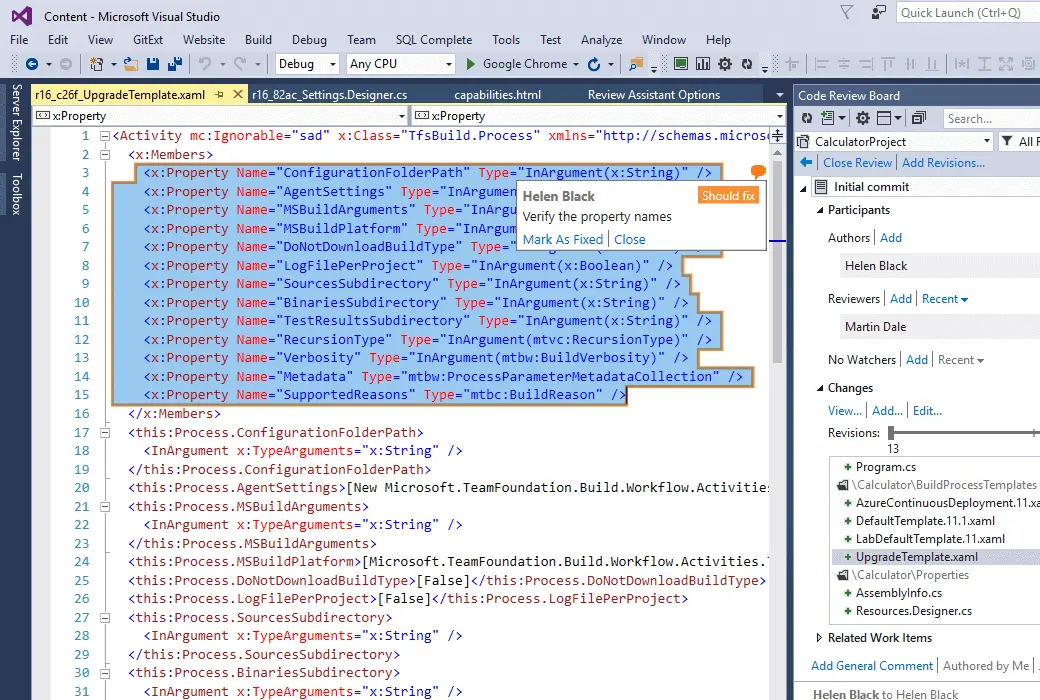
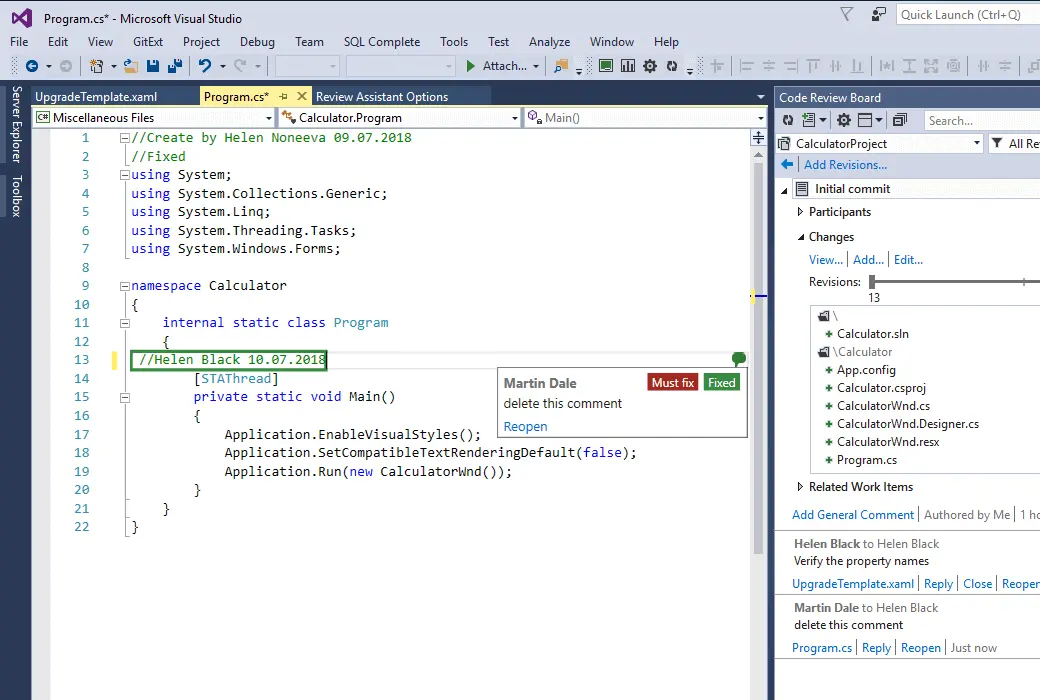
Most developers do not like to switch between their IDE and other tools when writing code. Knowing this, we have integrated the code review process as much as possible into the development environment. Now, you can create review comments directly from the code editor. The Code Review Committee window displays the reviews that have been created and allows you to manage them. Moreover, the code review committee includes all discussions related to the code.
Another advantage is that Review Assistant can be installed without Visual Studio.
Flexible code review
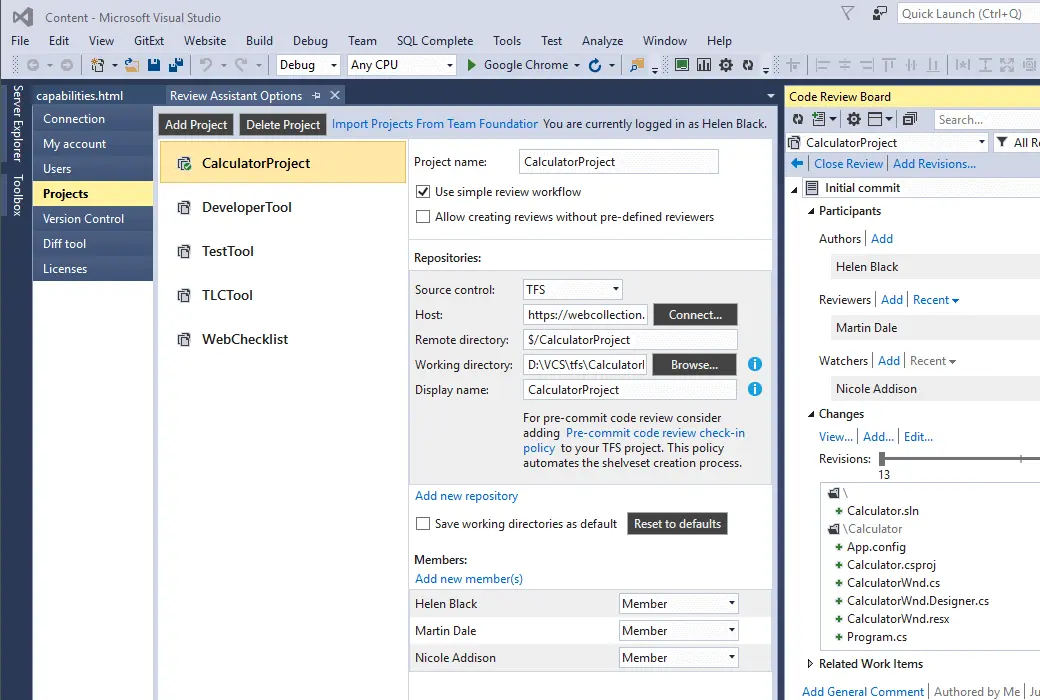
Review Assistant allows you to choose between simple or rigorous code review workflows for your project. Any developer can start a post submission code review for any revision set.
Code discussion
Code review is about improving the code repository. The comments and discussions within your team are the core of the process. Review Assistant supports topic annotations, so team members can discuss code without scheduling meetings.
Iterative inspection for fixing defects
Review Assistant supports multiple annotation fix validation cycles in a single comment.
Team Foundation Server Integration
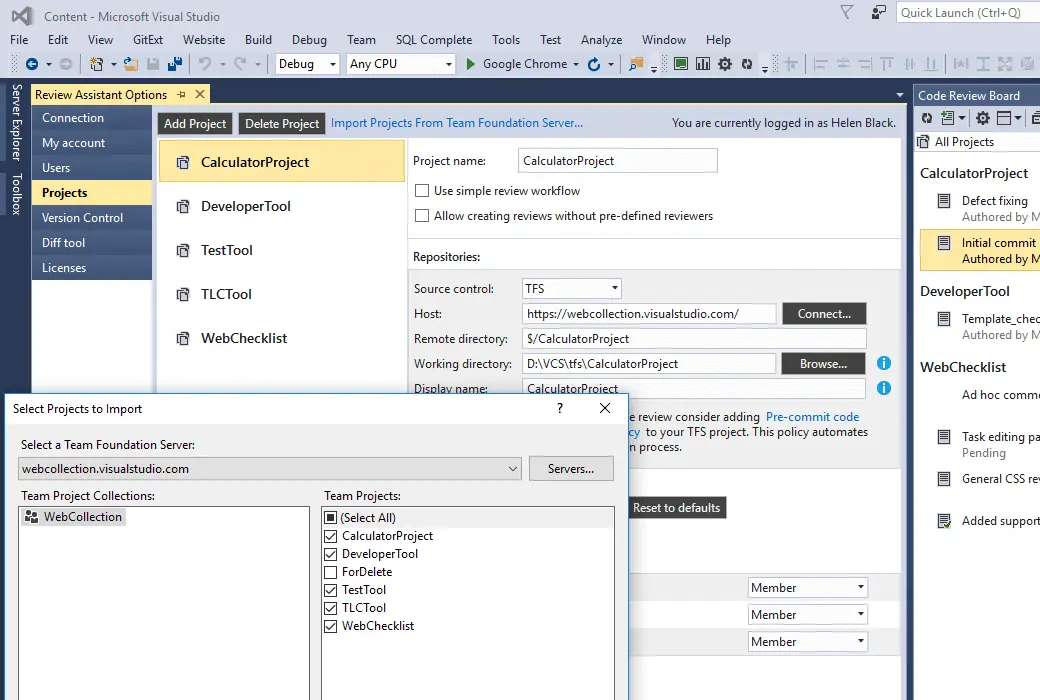
Review Assistant provides deeper integration with TFS and Visual Studio Online.
Notice matters
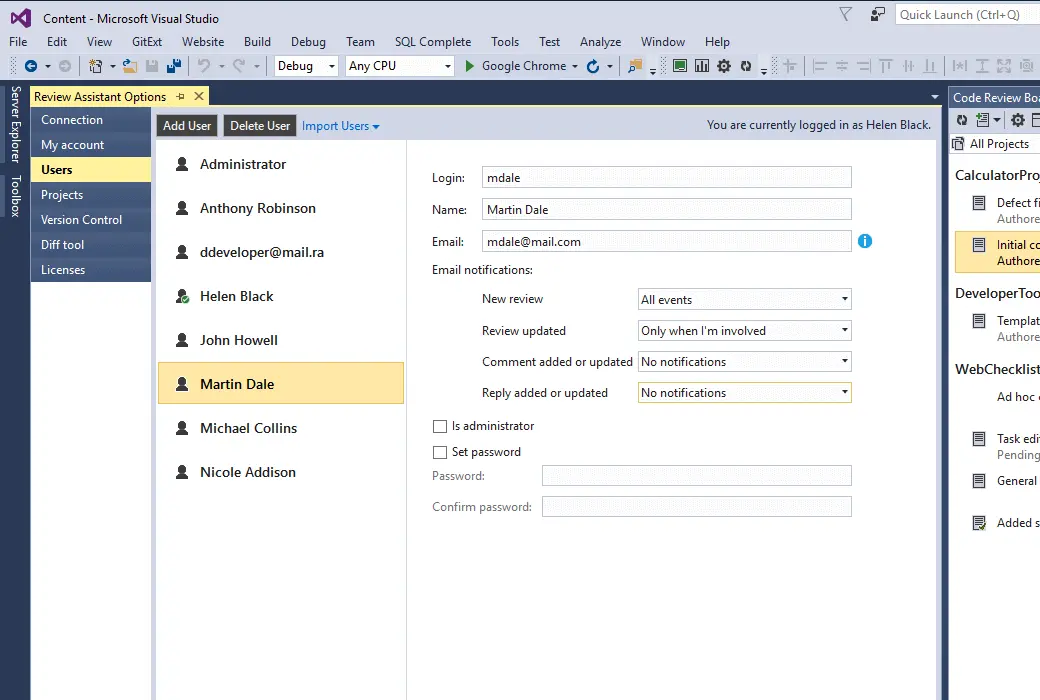
Set up the Review Assistant server to send email notifications about code review events. The client provides other pop-up notifications in Visual Studio.
You can choose the number of notifications you want to receive.
Custom URI schemes support navigation from email clients to Visual Studio.
Code review report and statistical data
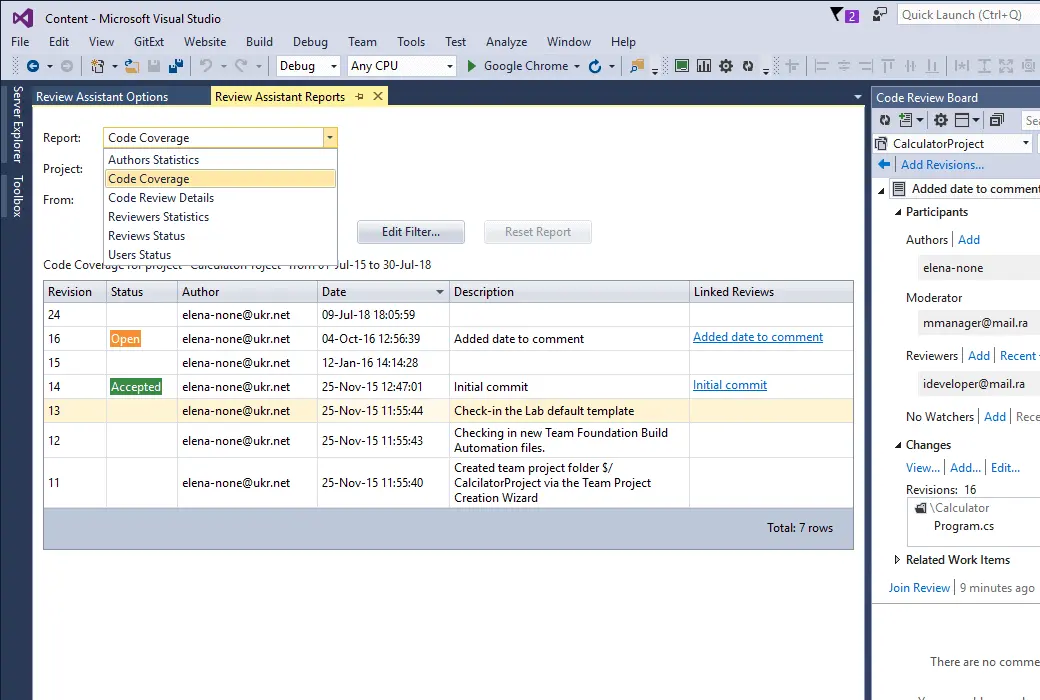
The review assistant provides a set of code review reports to assist you in guiding the code review process.
Replace the Visual Studio code checking feature
If necessary, please select 'View Assistant' instead of Visual Studio's' Native Code View 'feature:
Official Website:https://www.devart.com/review-assistant/
Download Center:https://review-assistant.apsgo.cn
Delivery Time: Orders are processed manually
Operating Platform: Windows
Interface Language: Supports English interface display, with multiple languages available.
Update Instructions: Select the options for update and maintenance. The software supports upgrading to the latest version within the validity period. After the maintenance and update period ends, the software will no longer support updates, but you can continue to use the current version.
Trial Before Purchase: A free trial period of 30 days is available before purchase.
How to Receive the Product: After purchase, the activation information will be sent to the email address used for ordering. You can also view the corresponding product activation code in your personal center, under "My Orders".
Number of Devices: Can be installed on 2 computers (limited to the same user).
Changing Computers: Remove the installed device from your account at https://secure.devart.com/ before activating again.
Activation Guide: Open the software, go to Help menu --> Activate Product.
Special Instructions: To be added.
References:https://www.devart.com/orderingfaq.html

Any question